
How should I track a sports card collection? Save only reviewed card matches, organize them by a system you use (such as set, player, or storage box), and update records after trades or sales. Treat a total made from estimates as an estimate, not an appraisal.
A practical collection workflow
- Start with a small group. Choose a team, player, set, or one physical storage box. Scanning ten cards and reviewing every match is more useful than quickly saving a large batch with uncertain identities.
- Check each result before saving. Compare the card number, year, set, and parallel. A wrong edition can distort your inventory and the collection total.
- Add reviewed cards to a collection. Use names that match how you actually collect, such as a team or set. Keep physical cards in a corresponding box or binder so the digital record helps you find them.
- Separate cards you own from cards you want. Use the watchlist for interests and targets, and use checklists to follow a collecting goal.
- Review after trades or sales. Update your collection when a card leaves it. A digital record is only as useful as the ownership information you keep current.
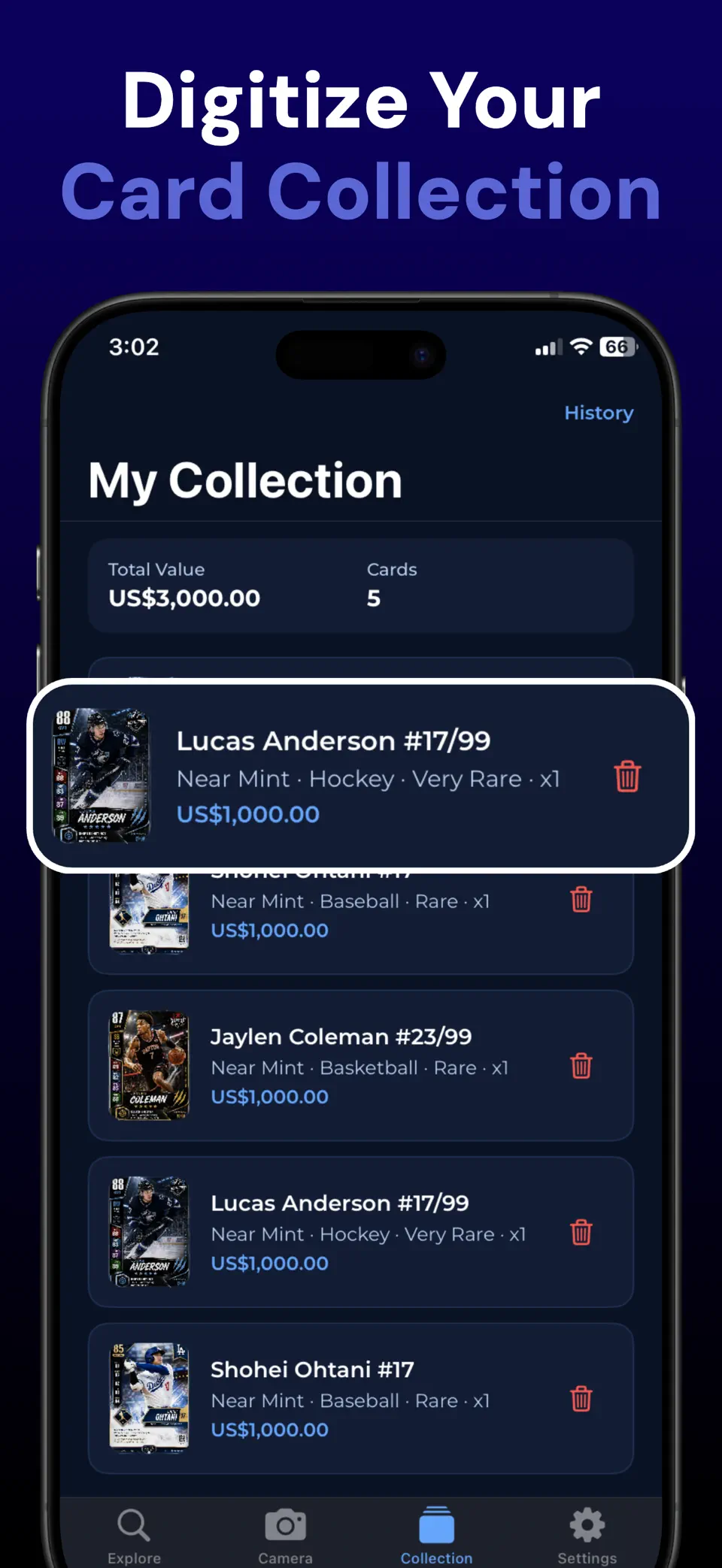
Understand the summary.
Card count: use it to check your saved inventory against the physical cards you are organizing.
Total value: a sum of estimates is still an estimate. Missing prices, inaccurate identifications, or outdated comparisons can change the total.
Individual entries: review the card title, condition, and value before using a saved entry in a trade or sale decision.
Choose a structure that matches your goal
| Collecting goal | Suggested collection name | A useful review habit |
|---|---|---|
| Complete a set | Year + manufacturer + set | Compare your checklist with the exact published set checklist. |
| Follow a player | Player name + sport | Separate base cards from parallels and numbered editions. |
| Organize trades | Cards available to trade | Remove cards after a trade and confirm what you received. |
| Revisit potential purchases | Use your watchlist | Check current comparable sales before acting on an old estimate. |
Keep collection value separate from sale proceeds
A portfolio total does not include every cost of selling. Fees, shipping, insurance, condition disputes, and the time needed to find buyers can affect proceeds. An app estimate is also different from a formal insurance appraisal.
For a concrete example of checking fees and sale dates, read how to compare card-sale prices. If a card's identity is uncertain, use the scanner troubleshooting checklist first.
Before relying on your records
- Check that the digital record matches the physical card and edition.
- Keep separate copies of receipts, professional grading records, and any documentation required by your insurer.
- Confirm current device, storage, backup, and subscription behavior in the app and its App Store listing.